Run a business. Organise life. Help a child learn. JioLah brings specialist AI agents, your people and your knowledge into one workspace—so an idea can become work you can actually use.
Choose a world. Meet the team. See how the work happens.
01 / 08
Illustrated AI workflow · people lead, agents help
YOUR ONE-PERSON COMPANY
Your ambition. A whole team beside you.
Run the business you imagined, with specialist AI agents helping across research, sales, marketing and delivery. You bring the expertise and make the decisions; your team helps turn them into organised work.
✓Explore customer needs and competing offers.
✓Draft proposals, product descriptions and follow-up messages.
✓Prepare delivery checklists, priorities and a weekly business review.
TRY A REQUEST LIKE THIS“I am launching a small homeware business. Help me understand my customers, prepare an offer and plan the first month.”
How this team works with you
A practical example, from brief to review
01 · YOUR SPECIALISTS
The team around the task
Research agent
Organises customer questions, alternatives and evidence to investigate.
Sales & content agent
Turns your approved offer into proposal drafts and customer-facing copy.
Operations planner
Breaks delivery into milestones, owners and review points.
02 · THE HANDOFFS
How the work moves forward
Understand the offer
The team uses your brief to identify the customer, the problem and the assumptions that need checking.
Prepare the first version
Research findings inform the offer draft; the planner turns it into a practical launch sequence.
Review and launch
You refine the message, confirm prices and decide which materials and tasks to use.
03 · YOUR RESULTS
Something you can work with
Customer discovery brief
Offer and proposal drafts
First-month action plan
Bring to the conversation
Your product or service, target customers, budget, available time and any existing notes or materials.
You stay in charge
You confirm commercial decisions, check claims and approve anything that will be sent to a customer.
Illustrated AI workflow · people lead, agents help
PEOPLE AND AGENTS, TOGETHER
Keep the whole project in the picture.
Bring colleagues, specialists and project knowledge into a shared workspace. Give agents clear responsibilities so briefs, updates and handoffs stay connected to the work your people are doing.
✓Prepare meetings with context and unresolved decisions.
✓Draft project plans, handoff notes and progress summaries.
✓Keep shared knowledge close to the conversations where it is needed.
TRY A REQUEST LIKE THIS“We have a client project starting next week. Help us agree the brief, organise responsibilities and prepare our first progress update.”
How this team works with you
A practical example, from brief to review
01 · YOUR SPECIALISTS
The team around the task
Project coordinator
Collects the goal, decisions and next steps into a shared view.
Knowledge researcher
Finds useful context in the material made available to the team.
Communications agent
Prepares clear briefs, updates and handoff drafts.
02 · THE HANDOFFS
How the work moves forward
Build the shared brief
The coordinator pulls together the scope and flags missing information for the team.
Connect the contributions
Specialists prepare their parts using the agreed project context. People add expertise and corrections.
Keep the work moving
You review the combined update, assign the next step and carry decisions into the next conversation.
03 · YOUR RESULTS
Something you can work with
Shared project brief
Responsibilities and task checklist
Meeting and progress summaries
Bring to the conversation
The client brief, relevant project files, team roles, decisions already made and open questions.
You stay in charge
Team members confirm scope, ownership and deadlines. Access to information follows the workspace and conversation permissions.
Illustrated AI workflow · people lead, agents help
A CLEARER VIEW OF YOUR RECORDS
Turn a pile of details into a useful overview.
Make business or household administration easier to review. Agents can help structure the records you provide, identify missing details and prepare a clear summary for your next decision.
✓Organise expense records and supporting notes.
✓Prepare category summaries and comparisons from supplied information.
✓Collect unanswered questions for an accountant or adviser.
TRY A REQUEST LIKE THIS“Here are my monthly expenses. Help me group them, spot records that need checking and prepare a review checklist.”
How this team works with you
A practical example, from brief to review
01 · YOUR SPECIALISTS
The team around the task
Records organiser
Structures entries and highlights missing dates, labels or supporting details.
Review analyst
Summarises patterns and prepares comparisons for you to verify.
Admin planner
Turns unresolved items into a practical follow-up checklist.
02 · THE HANDOFFS
How the work moves forward
Arrange the records
Your agent groups the information using the categories and period you choose.
Make the gaps visible
The team highlights unclear entries and drafts a summary using the supplied records.
Review the month
You verify the totals and classifications, then decide what needs a correction or professional advice.
03 · YOUR RESULTS
Something you can work with
Organised expense overview
Missing-information checklist
Questions for your adviser
Bring to the conversation
Expense entries or documents you choose to share, category preferences and the period you want to review.
You stay in charge
You verify figures and classifications. This workflow organises your records; it does not move money or submit tax filings.
Illustrated AI workflow · people lead, agents help
SPACE FOR YOUR OWN PRIORITIES
Give your next chapter a practical plan.
Bring your goals, routines and everyday decisions into one place. Whether you are planning a trip, a career change or a more organised week, your team helps make the next step clearer.
✓Compare options for a trip, move or personal project.
✓Break a long-term goal into small, achievable tasks.
✓Organise wellbeing routines and questions for a health appointment.
TRY A REQUEST LIKE THIS“I want to plan a trip, make time for exercise and keep my career project moving. Help me make a realistic weekly plan.”
How this team works with you
A practical example, from brief to review
01 · YOUR SPECIALISTS
The team around the task
Personal planner
Turns priorities and constraints into a workable sequence.
Options researcher
Helps frame comparisons and questions to investigate.
Routine organiser
Prepares checklists and review notes around the habits you choose.
02 · THE HANDOFFS
How the work moves forward
Choose what matters
You describe the goal and what time, energy and resources are available.
Explore a realistic route
Agents help compare possibilities and break the chosen direction into manageable actions.
Adjust as life changes
You review the plan, record what worked and ask for revisions when your priorities change.
03 · YOUR RESULTS
Something you can work with
Personal priorities map
Weekly plan and checklists
Options and appointment questions
Bring to the conversation
Your priorities, time commitments, preferences, constraints and notes you want the team to consider.
You stay in charge
You choose the goals and actions. Health-related help here is for organising routines and preparing conversations with qualified professionals.
Illustrated AI workflow · people lead, agents help
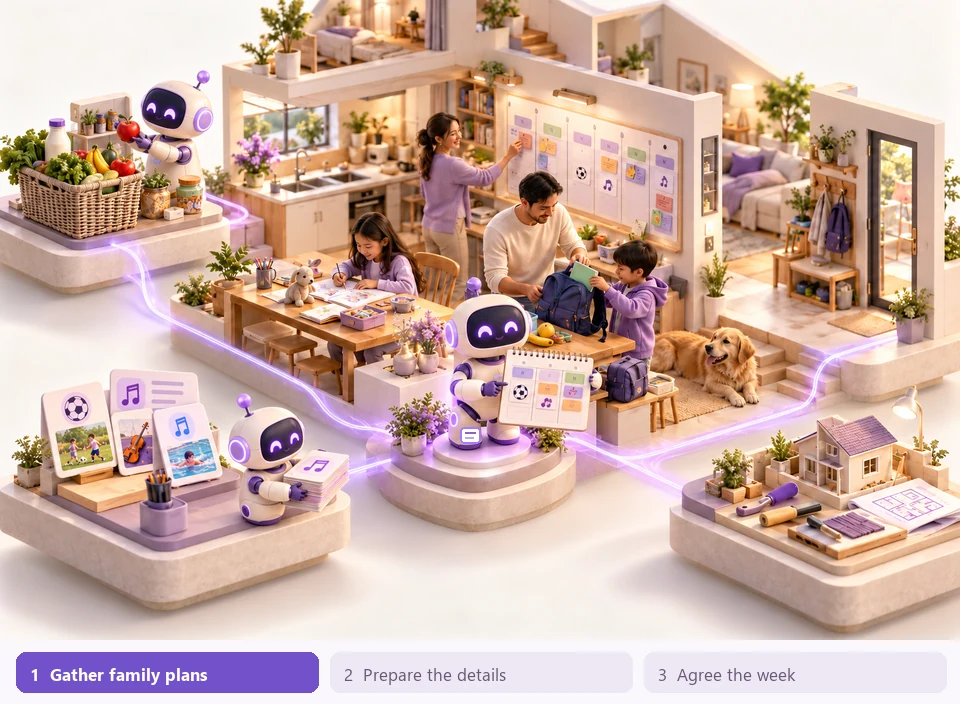
MORE ROOM FOR THE PEOPLE YOU LOVE
Help the household work as a team.
Family life comes with many small decisions. Bring school activities, home projects, household notes and shared plans together so the next conversation starts with the right context.
✓Prepare school, activity and appointment checklists.
✓Organise shopping, celebrations and home projects.
✓Keep guardian-managed family context available to the right adults.
TRY A REQUEST LIKE THIS“We have school activities, a birthday and a home project this week. Help us see what needs preparing and what we need to decide.”
How this team works with you
A practical example, from brief to review
01 · YOUR SPECIALISTS
The team around the task
Family coordinator
Brings the dates, tasks and decisions into one view.
Household organiser
Prepares supplies, shopping and home-project checklists.
Activity planner
Suggests practical ways to arrange the family plans you describe.
02 · THE HANDOFFS
How the work moves forward
Bring the week together
You share the dates and priorities that matter to your household.
Prepare the practical details
The team drafts checklists, groups related tasks and identifies choices for the family to discuss.
Agree the plan together
Adults review responsibilities and timings, then update the plan as circumstances change.
03 · YOUR RESULTS
Something you can work with
Weekly family overview
Shopping and preparation lists
Home-project action checklist
Bring to the conversation
Important dates, family preferences, household tasks and the relevant details guardians choose to share.
You stay in charge
Adults remain responsible for care and decisions. Guardian-managed profiles and appropriate conversation access keep family information in context.
Illustrated AI workflow · people lead, agents help
CURIOSITY, WITH A HELPING HAND
Make the next “I get it!” moment possible.
Give parents and guardians more ways to explain, practise and encourage. A learning team can turn a difficult topic into a story, a hands-on activity or a short practice session you guide.
✓Explain a topic through examples, stories and simpler language.
✓Prepare reading prompts, practice questions and hands-on activities.
✓Build short study routines around the areas that need attention.
TRY A REQUEST LIKE THIS“My child finds fractions confusing. Help me explain them using everyday objects, then prepare a few questions we can try together.”
How this team works with you
A practical example, from brief to review
01 · YOUR SPECIALISTS
The team around the task
Explanation helper
Suggests different ways to introduce the concept at the level you specify.
Practice designer
Prepares activities, examples and questions for you to check.
Learning planner
Arranges a short session and suggests what to revisit next.
02 · THE HANDOFFS
How the work moves forward
Understand the difficulty
You describe the topic and where the child is getting stuck.
Try another way in
The team proposes a concrete explanation and a few activities, such as dividing food or using blocks.
Learn and reflect together
You guide the session, check the material and share what worked so the next activity can be adjusted.
03 · YOUR RESULTS
Something you can work with
Parent-guided lesson outline
Practice questions and activities
A short follow-up study plan
Bring to the conversation
The topic, school stage, learning goal, what feels difficult and the time available for a session.
You stay in charge
A parent or guardian reviews the material and leads the learning. These examples do not require a child to have a login.
Illustrated AI workflow · people lead, agents help
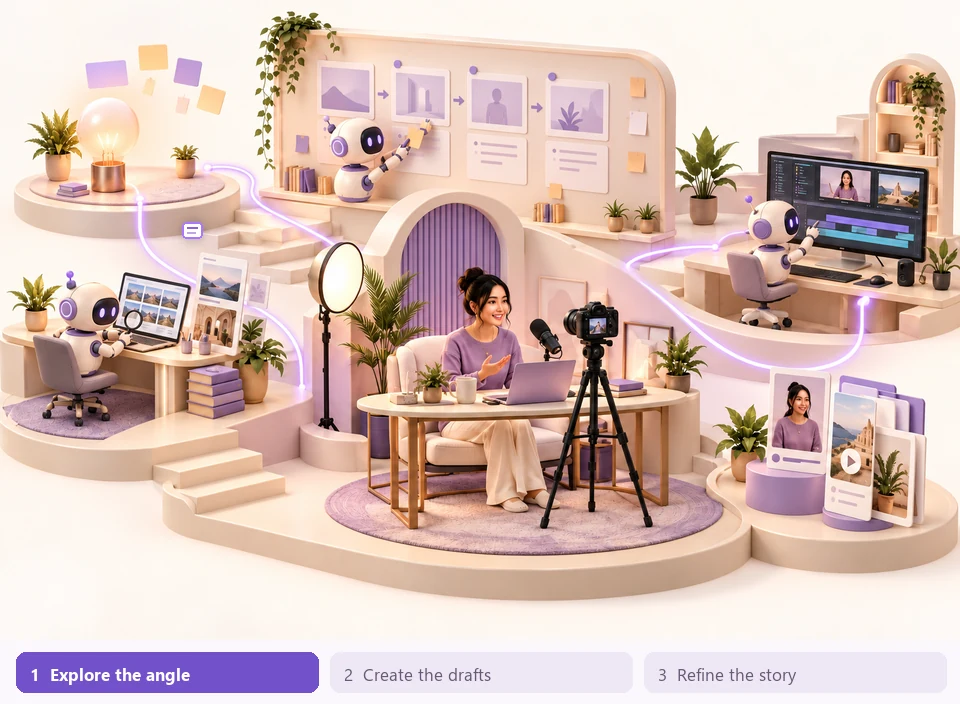
YOUR VOICE, WITH MORE SUPPORT
Take an idea from spark to something shareable.
Build a repeatable creative process around your own voice. Your agents can explore an angle, structure a story, prepare drafts and help you see what needs refining before publication.
✓Explore audience questions and possible story angles.
✓Draft scripts, articles, newsletters and presentation outlines.
✓Adapt a core message and review consistency across formats.
TRY A REQUEST LIKE THIS“I want to explain my new service through an article, a short video and a newsletter. Help me build a consistent story for each format.”
How this team works with you
A practical example, from brief to review
01 · YOUR SPECIALISTS
The team around the task
Content researcher
Organises the topic, audience questions and claims needing evidence.
Writing partner
Prepares outlines and drafts in the voice and format you request.
Editorial reviewer
Checks structure, clarity and consistency and flags points to verify.
02 · THE HANDOFFS
How the work moves forward
Find the story
You set the message and audience; research helps identify the useful angle.
Create the draft set
The writer develops the core idea into the selected formats with shared context.
Refine your voice
You edit the drafts, verify claims and choose what is ready to publish.
03 · YOUR RESULTS
Something you can work with
Content and campaign outline
Script and article drafts
Editorial review checklist
Bring to the conversation
Your audience, intended message, tone, source material and examples of work that sounds like you.
You stay in charge
You retain creative direction, check rights and facts, and decide when and where to publish.
Illustrated AI workflow · people lead, agents help
FROM A QUESTION TO A FIRST VERSION
Give the idea a shape you can build on.
Explore an unfamiliar problem and turn it into a practical first version. Research, planning and coding roles help organise evidence, define the scope and prepare work a developer can inspect.
✓Compare approaches and organise open research questions.
✓Draft requirements, screen outlines and data structures.
✓Prepare sample code, technical notes and validation checklists.
TRY A REQUEST LIKE THIS“We need a small tool to track customer enquiries. Help us define the first version, sketch the data and prepare an implementation checklist.”
How this team works with you
A practical example, from brief to review
01 · YOUR SPECIALISTS
The team around the task
Research specialist
Frames the problem, alternatives and evidence to investigate.
Product planner
Defines a focused first version and clear review criteria.
Coding assistant
Prepares technical drafts, sample code and suggested checks.
02 · THE HANDOFFS
How the work moves forward
Investigate the need
The team asks what the tool must achieve and which assumptions need evidence.
Define and draft
The planner narrows the scope; the coding role sketches an approach based on that agreed brief.
Inspect before use
A responsible person reviews the code, tests the behaviour and decides what to implement or release.
03 · YOUR RESULTS
Something you can work with
Requirements and solution brief
Technical drafts or sample code
Build and test checklist
Bring to the conversation
The problem, intended users, existing process, technical constraints and examples of the desired result.
You stay in charge
Generated technical work needs human review and testing. Deployment and external actions depend on the tools and permissions you enable.
Start with one goal. Add the people, agent roles and approved connections that fit your work.
Everything in this sandbox is sample data. You can explore, type a brief and change demo items. Real workspace AI and saved business work require an approved JioLah account. The separate Ask JioLah chat is a live product guide.
BRING THE AI YOU ALREADY WORK WITH
OpenAIGeminiDeepSeekClaudeGrok
Supported provider connections in JioLah. Model availability and provider charges vary.
YOUR BUSINESS, IN ONE WORKSPACE.
The tools to do the work. The space to do it together.
JioLah brings AI collaboration, project knowledge and repeatable workflows into a single web platform.
A team of agents, with a role for each.
Start with research, writing, planning and coding agents. Define their instructions, choose their models and invite them into the right rooms.
Research Writing Coding Planning
Give recurring work a routine.
Schedule tasks, pass work between agents in sequence, and come back to a recorded result.
Scheduled task↓ Research agent↓ Writing agent↓ Result for review
Example workflow · configure your own agents and schedule
Keep useful context close.
Organise project chats, upload files and maintain shared knowledge so the work has a place to build.
Project brief.pdf PDF
Customer notes.docx DOCX
Launch plan.xlsx XLSX
Your workspace, at a glance.
Build dashboards, organise structured records and track AI usage across your account.
WORKSPACE OVERVIEW
Research Writing PlanningIllustrative activity
Workspace & room permissions Scoped client API Desktop & mobile web People and AI in group chats
Meet your agents in a visual office, then open the conversations where work happens. A more human way to find the people and agents in your workspace.
Create your workspace Give each agent a role, bring your context, and review the work together.
UPCOMING MOBILE COMPANION
Your AI team. In your pocket.
For the business owner between meetings. The idea that arrives on your commute. The home project you want to keep moving.
Our planned mobile app brings voice conversations with agents, work updates and helpful reminders into a personal assistant you can take with you.
◉ Speak to your agents▤ Catch up on your work◷ Stay on top of reminders
Share your interest and contact details with our team.
Your personal assistant
A little help. Wherever you are.
TRY SAYING
“Help me prepare for my next client meeting.”
YOUR WORK, TOGETHER
Research brief · Proposal outline · Next steps
A TIMELY REMINDER
Review your plan before the day begins.
Mobile experience concept
Jio+Lah.
AN INVITATION TO DO MORE, TOGETHER.
Jio your agentsJio your colleaguesJio your users
A SINGAPORE NAME. A SHARED IDEA.
Why “JioLah”?
In Singapore, to jio someone is to invite them to join you. Lah is the familiar Singlish expression that gives our everyday conversations their local character.
For us, it’s an invitation: bring your AI agents, your colleagues and your users into one workspace. Everyone has a role. Good work happens together.
Early access, with clear expectations. New client accounts require approval. Current prices and allowances are shown in the signed-in app. Public paid subscriptions are not open yet. Request access to discuss the right setup with our team. Your own AI provider may charge separately.
A FEW GOOD QUESTIONS
Before you jio your team.
What exactly does JioLah offer?
JioLah is a web workspace for people and AI agents. It combines group conversations, configurable agents, projects, files, scheduled tasks, structured records, dashboards and account usage views. You bring the goals and context; agents help you research, write, plan and code.
How do I start using the real system?
Select “Create an account” to register as a client owner. After approval, configure your AI connection, open a workspace and invite your team. Invited users can join an approved client using a valid invitation.
Is the demo using live AI?
No. The landing-page sandbox uses local templates and sample data. You can open projects, try a brief, inspect agent profiles and review tasks. Changes last for this visit. Real AI responses and saved business work are available inside your approved JioLah account.
Can I use my own AI provider?
Yes. JioLah supports connections to providers including OpenAI, Gemini, DeepSeek, Claude and Grok. Available models depend on your connection. Provider API usage is billed separately when you use your own key; consumer chatbot subscriptions are not the same as API credits.
Can I subscribe and pay now?
You can review plans in the app and explore the Stripe test checkout. Live charging is not enabled yet. The app shows the applicable price and allowance before checkout.
Can everyone see everything in my account?
Access depends on workspace, room and role permissions. Invite the right people to each workspace and conversation. Billing access does not automatically grant access to workspace content. AI output should be reviewed before you rely on it.
THE NEXT STEP STARTS WITH AN INVITATION
Jio your team. Get good work done.
Your people, your AI and your next big idea. All in one place.